
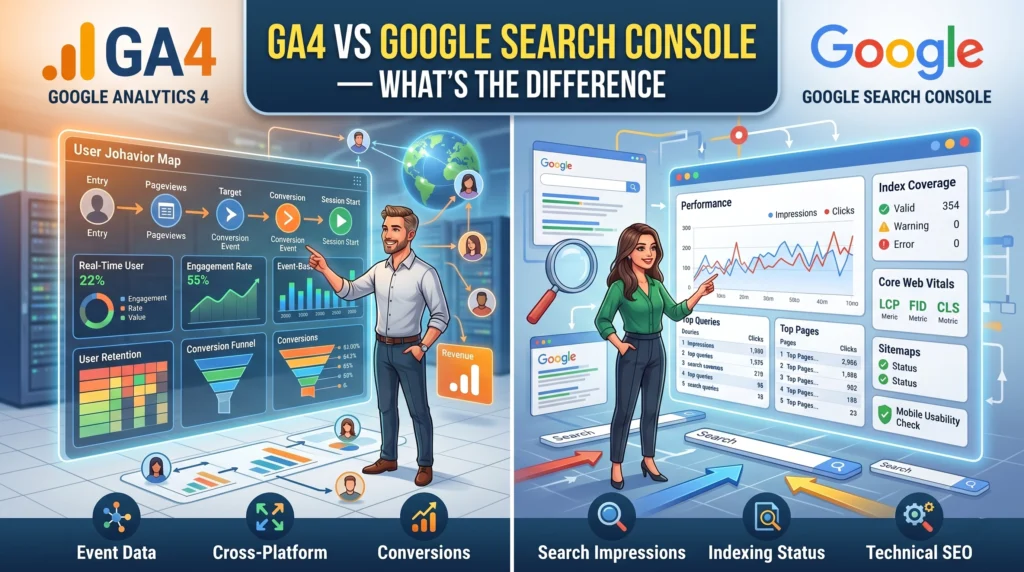
As a business owner, navigating the vast world of digital marketing tools can feel overwhelming. Two powerful, yet often confused, platforms are Google Analytics 4 (GA4) and Google Search Console (GSC). Let me clarify immediately: GA4 focuses on understanding user behavior *on your website*, while Google Search Console provides insights into *how Google sees and ranks your website* in search results. They are distinct, complementary tools, and successful businesses leverage both to paint a complete picture of their online performance.
What is Google Analytics 4 (GA4)?
Google Analytics 4 is Google’s latest analytics platform, designed to provide a comprehensive, event-based understanding of user interactions across websites and apps. Unlike its predecessor, Universal Analytics, GA4 prioritizes user journeys, tracking events like page views, clicks, scrolls, and conversions with a focus on privacy and future-proofing data collection. As a freelance digital marketing analyst in Malappuram, I often emphasize to my clients that GA4 helps you answer questions like:
- Which pages are most popular?
- Where do users come from before visiting my site?
- What actions do users take on my site (e.g., add to cart, fill out a form)?
- What is the conversion rate for my key goals?
- Are my marketing campaigns driving engaged users?
It’s about understanding *who* your users are, *what* they do once they land on your digital properties, and *how* they engage with your content or products.
What is Google Search Console (GSC)?
Google Search Console, on the other hand, is a free tool from Google that helps you monitor, maintain, and troubleshoot your site’s presence in Google Search results. It’s your direct communication channel with Google regarding your site’s organic search performance. GSC allows you to see:
- What keywords users are searching for to find your site.
- Your average position in search results for those keywords.
- Which pages are appearing in search results and how often.
- Any crawling errors or security issues Google might have found.
- Mobile usability problems.
- Which external sites are linking to yours.
Think of GSC as your site’s health report and visibility tracker in the eyes of the world’s largest search engine. It’s crucial for understanding your organic traffic potential and identifying opportunities for SEO improvement. Learn more about how I help businesses like yours unlock their full potential on my digital marketing services page.
GA4 vs Google Search Console: What’s the Core Difference?
The fundamental distinction lies in their data focus:
- GA4: In-site User Behavior. It tells you what happens *after* someone arrives on your website or app. It tracks user journeys, engagements, and conversions across your digital assets.
- GSC: Organic Search Performance. It tells you what happens *before* someone arrives from Google Search. It focuses on your site’s visibility, ranking, and technical health within Google’s index.
Imagine your website is a physical store. GA4 tells you which aisles customers walk down, what products they pick up, and what they buy. GSC tells you how many people see your store sign on the street, what words they use to ask for directions to your store, and if the path to your door is clear and accessible.

Why Do Business Owners Need Both GA4 and GSC?
Relying on just one tool gives you only half the story. As a dedicated digital marketing analyst in Malappuram, I consistently advise businesses that integrating insights from both GA4 and GSC offers a complete, actionable view:
- Comprehensive Performance View: GSC identifies keywords bringing traffic; GA4 tells you what those users do once they land.
- SEO & Content Strategy: GSC reveals search demand and ranking opportunities; GA4 validates if your content is engaging and converting the traffic GSC sends.
- Problem Solving: GSC flags technical SEO issues preventing visibility; GA4 helps pinpoint user experience issues causing high bounce rates or low conversions.
These tools work in tandem to provide the data necessary for informed decision-making. If your digital strategy isn’t yielding the results you expect, it might be time to deep dive into your data. I am Shameer Ali, a digital marketing analyst in Malappuram, currently accepting 3 new clients for May who are ready to transform their online presence.
Book Your Free Digital Marketing Strategy Call Today!
How Can You Use GA4 and GSC Together for Maximum Impact?
The synergy between GA4 and GSC is powerful:
- Connect Them: Link your Google Search Console property to your GA4 property. This allows you to see GSC data (queries, impressions, clicks) directly within your GA4 reports, providing a seamless view of organic search performance alongside on-site behavior.
- Identify Content Gaps: Use GSC to find keywords where your site appears but doesn’t rank highly. Then, use GA4 to see if existing content targeting those keywords is performing well. If not, optimize or create new content.
- Improve User Experience: If GSC shows a page is getting clicks but GA4 reveals a high bounce rate or low engagement, it signals a content or UX problem that needs addressing.
- Monitor SEO Changes: After implementing SEO improvements (e.g., new content, technical fixes), use GSC to track changes in impressions and clicks, and GA4 to observe subsequent shifts in user engagement and conversions.
Mastering these two tools is crucial for any business serious about online growth. If you’re feeling overwhelmed and need expert guidance to interpret your data and craft an effective strategy, don’t hesitate to reach out. As an SEO expert in Malappuram, I specialize in turning complex data into actionable insights for businesses like yours.
Unlock Your Data’s Full Potential: Schedule a Free Consultation
Frequently Asked Questions About GA4 and Google Search Console
Can GA4 replace Google Search Console?
No, GA4 cannot replace Google Search Console. While GA4 provides insights into user behavior on your site, GSC focuses on your site’s visibility and technical health in Google Search results. They offer different, yet complementary, data sets crucial for a holistic digital strategy.
Which tool should I check first for website performance?
It depends on your goal. If you want to know how users are finding you via Google Search, start with GSC. If you want to understand what users do once they land on your site, start with GA4. Ideally, you should check both regularly, as insights from one often inform the other.
How often should I check GA4 and GSC?
For most business owners, reviewing both GA4 and GSC weekly or bi-weekly is a good practice to catch trends, identify issues, and monitor performance. For significant marketing campaigns or website changes, daily checks might be beneficial.
Is it possible to integrate GA4 and GSC?
Yes, it is highly recommended to link your Google Search Console property to your GA4 property. This integration allows you to view GSC data (like queries and organic traffic) directly within GA4 reports, providing a more cohesive analysis of your organic search performance and user behavior.